The inconvenience of Blu ray is that it cannot be played directly on portable devices and brought beside. If you have got some wonderful Blu ray movies and want to enjoy them on your journey, it’s advisable to copy Blu ray to MKV. Copying Blu ray MKV, we need a Blu ray to MKV Converter and a BD drive. Leawo Blu ray to MKV Converter is specially designed for users to copying Blu ray to MKV lossless while maintain multiple subtitles and audio tracks. Now, just follow the guide below to see how to copy Blu ray to MKV step by step.
Get Leawo Blu-ray to MKV Converter Coupon Code
Get more Leawo Coupon Codes
1. Import Blu ray source
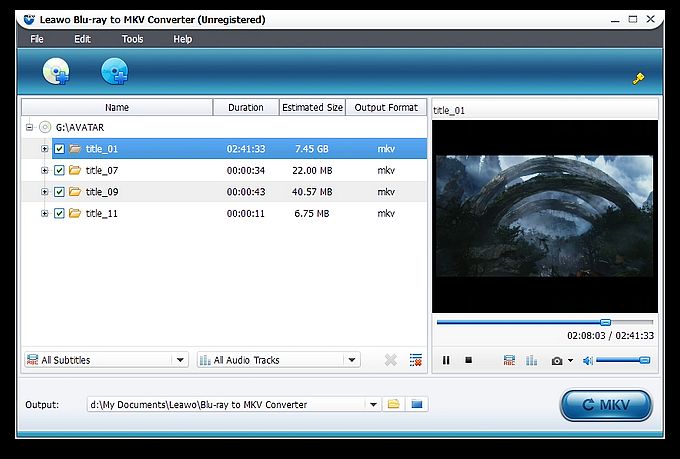
Launch Blu ray to MKV Converter. Leawo Blu ray to MKV Converter enables you to convert both Blu ray and DVD disc or folder to MKV. Import Blu ray sources by clicking “Load BD/DVD” button.
2. Choose desired chapters
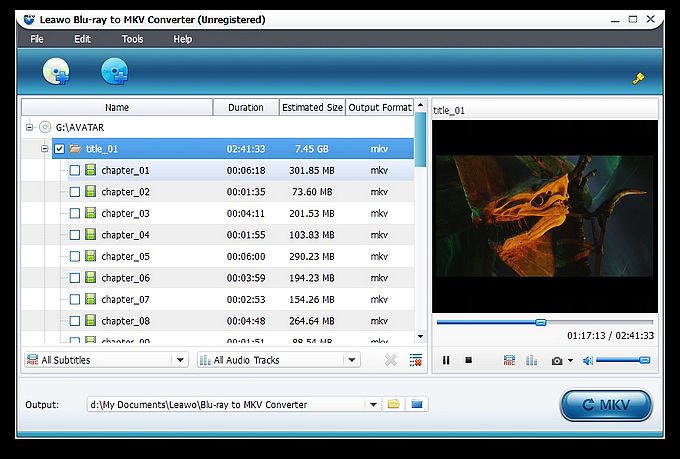
After importing Blu ray sources, the contents of Blu ray will be shown in the left panel, and then you can see the titles of the original Blu-ray content. And in every title, you can see various chapters. Tick before every title/chapters to choose the desired titles/chapters you want to copy.
3. Select your desired subtitles and audio tracks
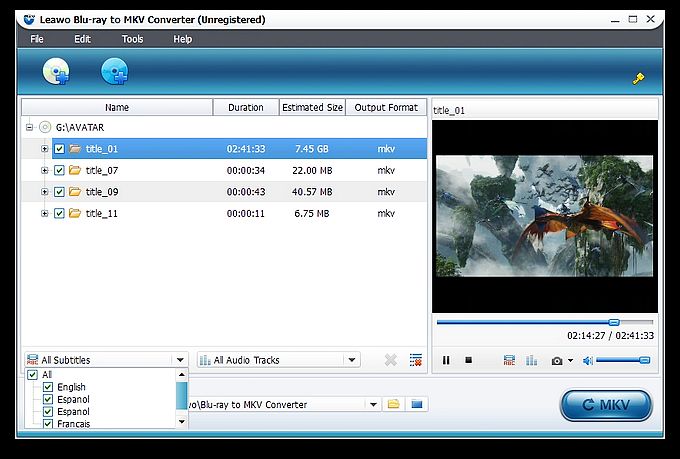
You can find out the Subtitle and Audio options at the bottom of the left processing list panel after loading Blu ray sources. Click the All Subtitle drop-down button to choose your desired output subtitles. Click the All Audio-Tracks drop-down button to choose your desired output audio tracks. You can choose to output multiple audio tracks for output. You can choose to output multiple subtitles and audio tracks as output.
4. Copy Blu ray to MKV
Then get back to the home interface and click “Convert” button to start to copy Blu ray to MKV.
