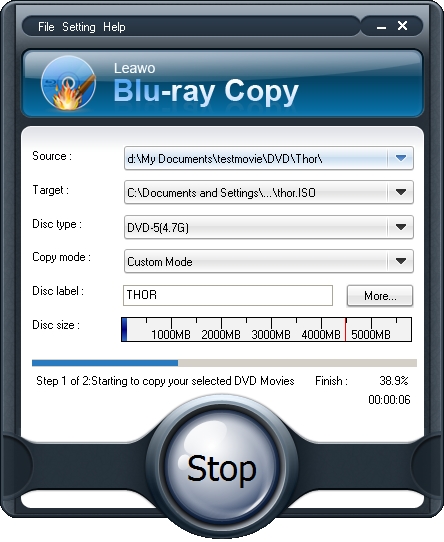
Copying Blu ray to Blu ray for backup, it’s advisable to use the third-party program—Leawo Blu ray Copy. It can easily decrypt copy protection of Blu ray disc and copy Blu ray smoothly.
Now, you can get 20% discount off for Leawo Blu ray Copy. And detailed steps on how to copy Blu ray to Blu ray also will be provided in the following post.
Get Leawo Blu ray Copy Coupon Code
Get more Leawo Coupon Codes
How to copy Blu ray to Blu ray?
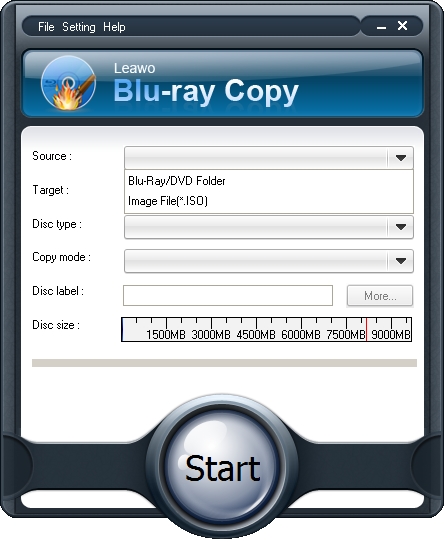
Step1. Import Blu ray to the Blu ray Copy
Launch Blu ray Copy and click Source drop down button to import Blu ray from your Blu ray disc or folder.
Step2. Set Target for output
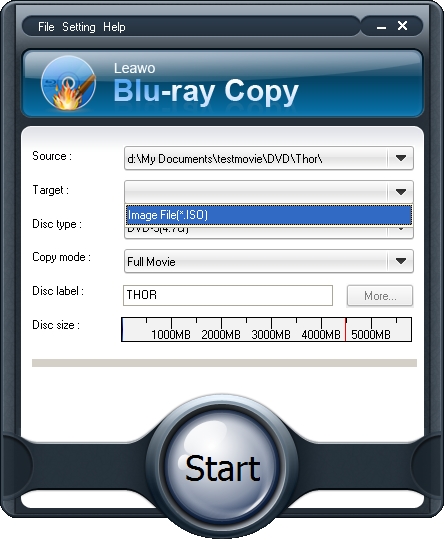
Click Target drop down button to set target destination to save output Blu ray files, if you have inserted your Blank Blu ray into the hard drive, there will be Blu ray choice for you to choose.
Step3. Do Blu ray copy settings
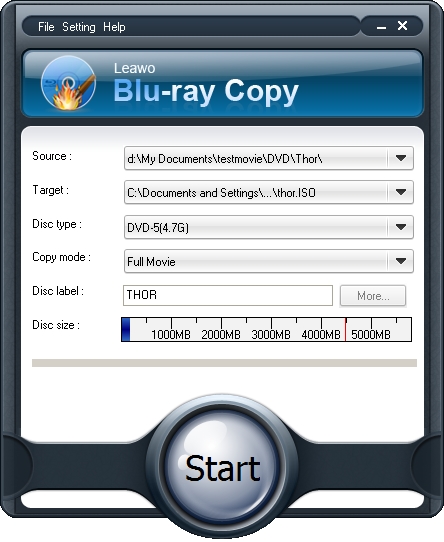
Choose Disc Type, Copy Mode, and input your desired Disc Label. “Disc Type” including BD, DVD-5, DVD-9,etc. and “Copy Mode” for Full, Main, or Custom Movie content copy.
Step4. Start to copy Blu-ray to Blu ray
Click the “Start” to copy Blu ray to Blu ray.