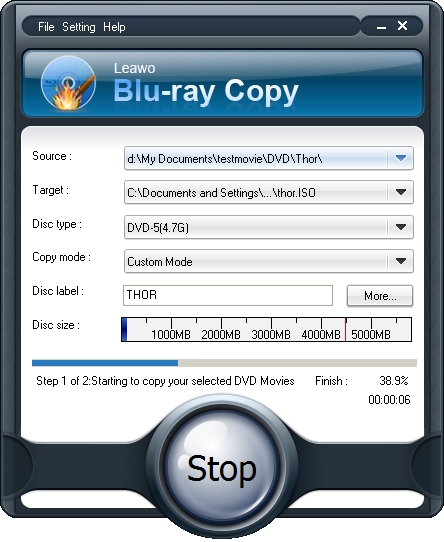
Due to the fact that Blu ray is fragile and expensive but it provides high quality video and audio movies, we always copy Blu ray to DVD for backup. Copying Blu ray to DVD costs less while it can share the same quality as Blu ray with Leawo Blu ray Copy. The guide below will show you how to copy Blu ray to DVD for backup with Leawo Blu ray Copy—a professional Blu ray copying program.
Get Leawo Blu ray Copy Coupon Code
Get more Leawo Coupon Codes
How to copy Blu ray to DVD?
Step1. Load Blu ray to Blu ray Copy
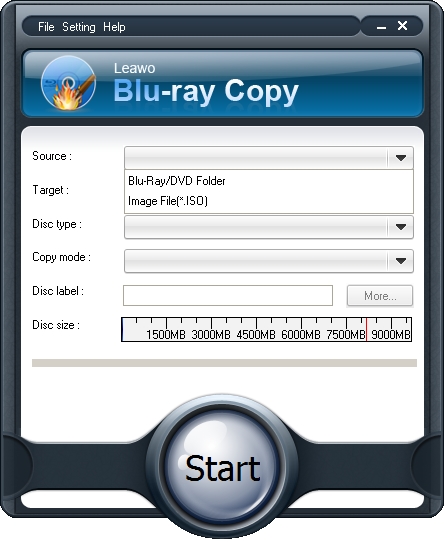
Click the drop down button of “Source”, choose your Blu ray drive which you have inserted your Blu ray disc. You can import Blu ray folder as well.
Step2. Select Target
Click the drop down box of “Target” and select “DVD disc”. Only when your computer has DVD drive, you could see the DVD disc option.

Step3. Do some choices.
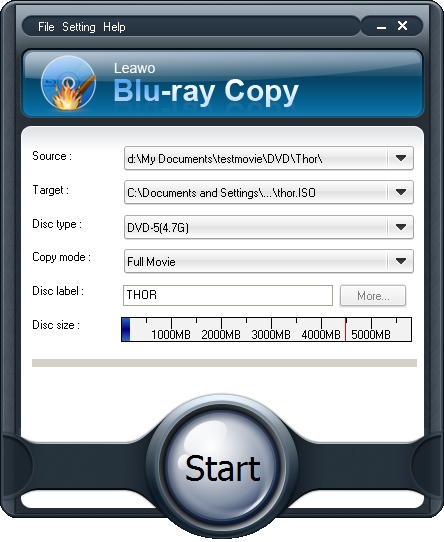
Choose Disc Type, Copy Mode, and input your desired Disc Label. “Disc Type” including BD, DVD-5, DVD-9,etc. and “Copy Mode” for Full, Main, or Custom Movie content copy. Only when you choose Main Movie or Custom Movie in Copy Mode, you would be able to set audio and subtitle options by clicking “More”.
Step4. Start to copy Blu-ray to DVD
Click the “Start” to copy Blu ray to DVD disc.